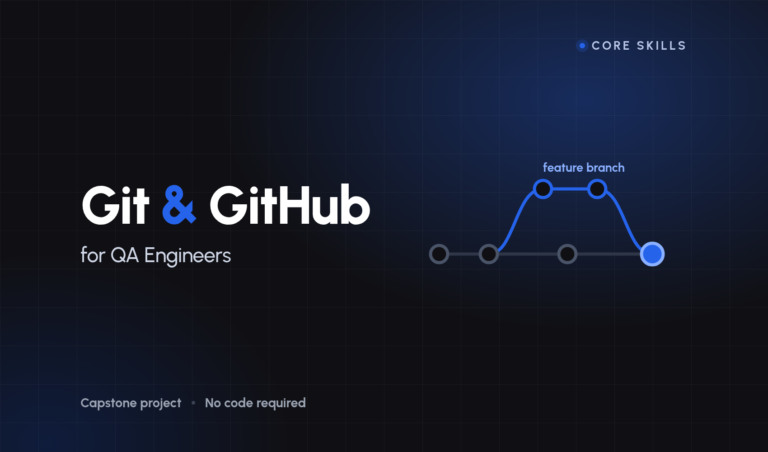







Git & GitHub for QA Engineers
Get unlimited access to all learning content and premium assets Membership Pro
Stop being the person on the team who is frightened of the repository.
Sixteen lessons and a capstone. Three hours and twelve minutes.
Who this is for
Testers who use Git by copying commands from a colleague and hoping. You can commit and push; you have never rebased on purpose; and somewhere in the back of your mind is the belief that one wrong command will lose your work.
You do not need to be a developer. You do not need to write code at all — the practice repository holds test notes, not a project, which is deliberate: a lesson about branching should not also be a lesson about somebody’s build tool.
What you will be able to do
- Explain where your work actually lives, which is the thing every confusing Git error is downstream of
- Branch, merge and resolve a conflict without asking anybody
- Undo essentially anything, including work you thought you had destroyed
- Open a pull request that a reviewer enjoys reading, and review one as a tester
- Say what a branching strategy is really deciding, and argue for one
- Publish a repository that makes a stranger think well of you in two minutes
What you will build
A portfolio repository documenting your testing of one small application — scoped deliberately small, with a findings section, a real commit history, a merged branch and a tag.
It is marked against ten published criteria. Seven of them are settled by a script you can run yourself, so you are not waiting on anybody’s opinion to know where you stand. The other three are the ones that decide it, and the course is explicit about which they are.
Requirements
A computer you can install Git on, and a free account on a hosting service. Nothing else. No prior version control, no programming language, no framework.
What this course is not
It is not a tour of every Git command; there are about a dozen you will use weekly and this teaches those properly instead of thirty badly. It does not cover continuous integration beyond what a repository badge means — that has a course of its own. And it does not pretend the tool is simple. It is not simple. It is consistent, which is better, and consistency can be taught.
How it is taught
Four concept lessons that explain the model, eight demonstrations you type along with, and four workshops where you are handed a broken repository and fix it before the instructor does.
Every lesson runs against one practice repository with a reset script, so if you get lost you are one command away from being level again — and you are encouraged, repeatedly, to break it on purpose.
- 3 Sections
- 18 Lessons
- 10 Weeks
- IntroductionHow the course is put together, and how to work through it.1
- Git & GitHub for QASixteen lessons against one practice repository you are encouraged to break.17
- 2.1Why version control, and what a repository is8 Minutes
- 2.2Installing Git and first-time configuration9 Minutes
- 2.3The three states: working tree, staging area, repository10 Minutes
- 2.4add, commit, log, and writing a useful commit message12 Minutes
- 2.5Ignoring files: .gitignore for test projects9 Minutes
- 2.6Branching and switching11 Minutes
- 2.7Merging, and resolving your first conflict13 Minutes
- 2.8Rebase vs merge, and when each is safe12 Minutes
- 2.9Remotes: clone, fetch, pull, push12 Minutes
- 2.10Pull requests and code review as a tester13 Minutes
- 2.11Tags and releases8 Minutes
- 2.12Undoing things: restore, reset, revert, reflog14 Minutes
- 2.13Stash, cherry-pick and interactive rebase basics12 Minutes
- 2.14Branching strategies: trunk-based vs GitFlow10 Minutes
- 2.15GitHub repo hygiene: README, structure, badges11 Minutes
- 2.16Building a QA portfolio repository that gets you hired12 Minutes
- 2.17Knowledge check: Git & GitHub42 Questions
- CapstoneOne public repository, marked against ten published criteria.1
Get unlimited access to all learning content and premium assets Membership Pro
You might be interested in
Stay Updated with New Courses
Get the latest courses and learning tips delivered to your inbox.